Pressure at a glance
Check tyre pressure, temperature and supported sensor battery readings, with a “last seen” time for each sensor. Cached readings stay available after restarting the app.
Meet TyrePing. Keep an eye on tyre pressure and temperature, straight from your Bluetooth sensors to your Android phone.
Read your tyres, manage your sensors and keep track of your vehicles. Compare stable and pre-release builds on our downloads page.
Check tyre pressure, temperature and supported sensor battery readings, with a “last seen” time for each sensor. Cached readings stay available after restarting the app.
Set low and high pressure limits and temperature thresholds. TyrePing updates warnings when readings or limits change and reports low sensor batteries where supported.
Start monitoring manually or use a paired Bluetooth accessory or BLE beacon to trigger it. Android Auto, dark mode and direct vehicle shortcuts are included.
Bind compatible sensors by QR code, manual ID or guided discovery. Review each assignment before saving.
Choose your units, tap to enlarge readings, or turn the phone for larger landscape cards.
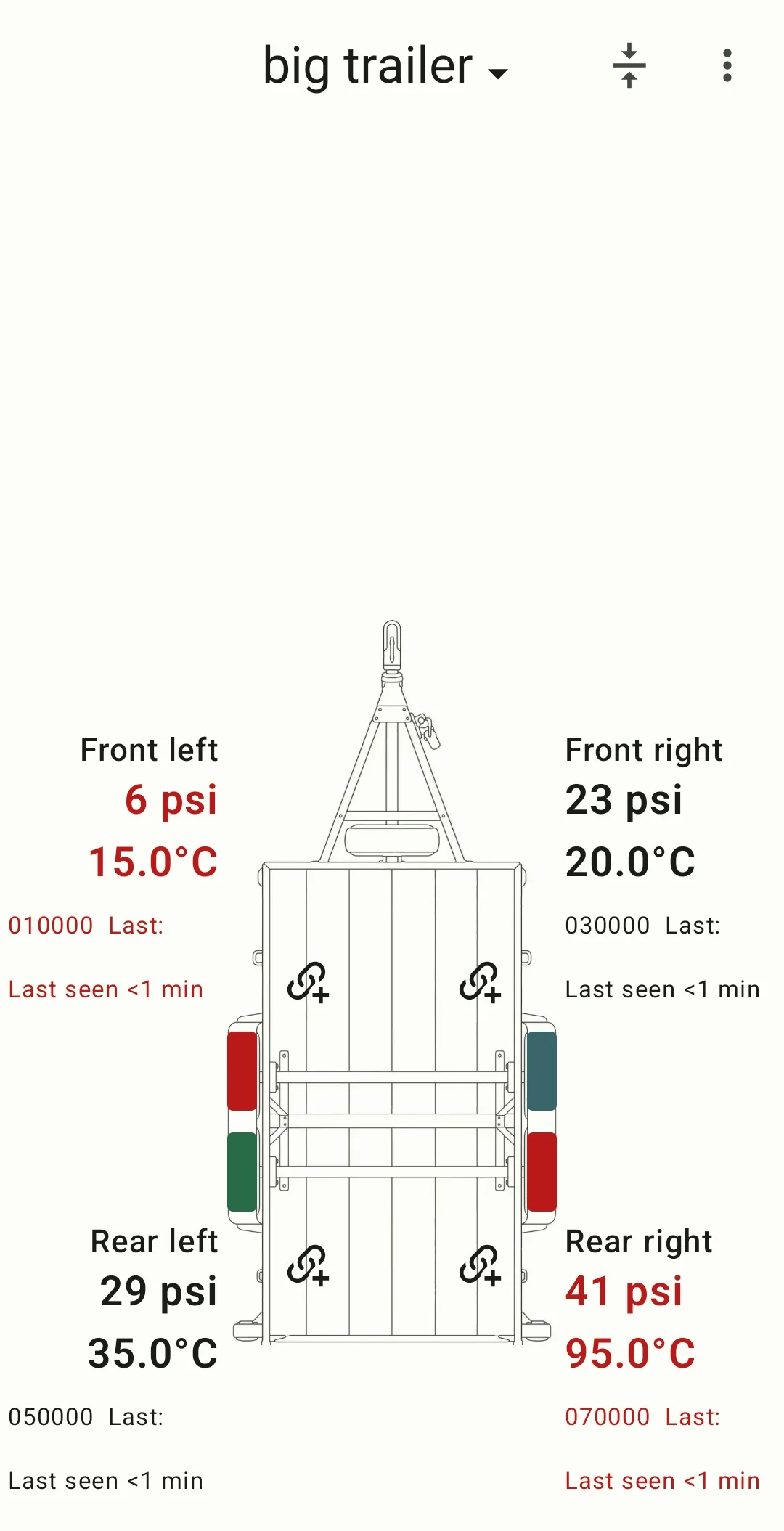
Single- and tandem-axle trailers have their own layouts. Set separate front/rear limits for the two axles.
From pre-ride checks to sensor history and maintenance, find the tools that fit your setup. Features vary between stable and pre-release builds; check your chosen build’s notes.
Read the release notes →The Ready-to-Ride dashboard opens a per-wheel checklist for reading freshness, pressure limits and battery warnings. Sleeping or unseen sensors stay unconfirmed.
Configurable warnings track sensors that have reported during the session. Parked mode pauses missing-sensor warnings, and Bluetooth recovery gets a grace period.
Keep named front/rear alert limits for Solo, Pillion, Touring, Towing or your own setup. Applying a profile updates both axles’ limits together.
Map paired Bluetooth accessories to vehicles, keep manual control when needed, or tap an NFC vehicle tag. The selector can flag warnings on other bound vehicles.
A resizable widget shows cached pressures, temperatures, monitoring status and advancing reading ages. The widget itself does not start scanning.
Track installations, replacements, tread, pressure checks and notes per wheel. Reminders can be due by date or manually entered mileage.
Discover BLE sensors without printed IDs, inspect candidates and confirm each assignment. Move, swap or rotate bindings with a preview.
Apply pressure and temperature corrections per sensor. Live displays and alerts use corrected values; recorded raw readings stay unchanged.
Explore pressure/temperature graphs and reading sessions, export CSV, or capture BLE packets and diagnostic JSONL when you choose.
Choose optional alert sounds, spoken warnings, vibration and repeat intervals. Silence them temporarily while visual warnings remain. These options start disabled.
Export vehicles, bindings, calibration, profiles, reminders and settings. Restore validates the data and saves a safety copy; history and packet captures export separately.
An interrupted session can offer a restart when you reopen the app. Optional spoken diagnostics explain waiting, Bluetooth loss and scan failures.
Save towing combinations and use a combined dashboard while each vehicle keeps its own sensor assignments and pressure limits.
Explore axle pressure differences, user-confirmed cold baselines and reception statistics. These observations help you inspect readings and sensor behaviour.
Use high-visibility colours, adjustable readout sizes, optional portrait cards and Android Auto status and tyre lists.
The downloads page includes the available builds and their release notes. Check the build you choose before installing. The Ready-to-Ride checklist is an information check, not a guarantee of tyre condition. Browse downloads and changes →
Keep track of sensors, vehicles and the readings behind each ride. These additions are available for pre-release testing; check the notes for your chosen build.
Compare available builds →Keep assigned sensors and labelled spares in one inventory, with manufacturer notes, battery readings, last-seen times and installation history. Move sensors between wheels and the spare library with confirmation.
Review daily battery, signal and reception observations over 30, 90 or 365 days. Gaps and trends need context: they describe what was observed and do not predict sensor failure.
Garage / Fleet brings every vehicle’s last known tyre readings, freshness, warnings and maintenance state into one overview. Open any vehicle’s own dashboard for a closer look.
Record tyre sizes, load conditions, cold-pressure recommendations and their source. Compare those references with saved pressure profiles; saving a specification does not change alert limits.
Use the Quick Settings tile to open monitoring controls, and choose an optional live tyre notification. Check active, waiting, suspended or stopped status alongside reading ages.
Review monitoring-session reports with raw pressure changes, maximum temperatures, missing readings and alert counts. Search alert history and acknowledge entries independently of active alarms. No GPS ride tracking is required.
While parked, use timed inflation / maintenance mode to pause expected pressure, leak, imbalance and missing-sensor alerts. Temperature and battery warnings remain enabled; end maintenance mode before riding.
Compare a fresh sensor reading with a trusted pressure gauge before approving an offset. Guided replacement confirms the old and new sensor while preserving earlier readings and sensor identities.
Inspect storage usage, choose retention periods, archive older records as JSONL and preview manual cleanup. History is kept by default; archives are separate from configuration backups.
Set up sensor inventory and fleet tools → · Explore monitoring tools →
Set up cars, motorcycles, single- or tandem-axle trailers and three-wheelers, plus car-with-spare, van, ute and monowheel configurations. Save towing combinations to view a tow vehicle and trailer together.
Keep vehicle profiles separate, with sensors assigned to the correct tyres. Bring compatible BLE sensors and an Android phone to read their broadcasts.
Check sensor compatibility →Selected Sysgration, Pecham, Bekubee/HRTPMS and Wicarlink/LYTPMS formats are supported. Check sensor guidance and release notes before buying hardware; discovery alone does not confirm compatibility.
Vehicle layouts and settings from an earlier development build. For current interface and feature changes, read the release notes on the downloads page.
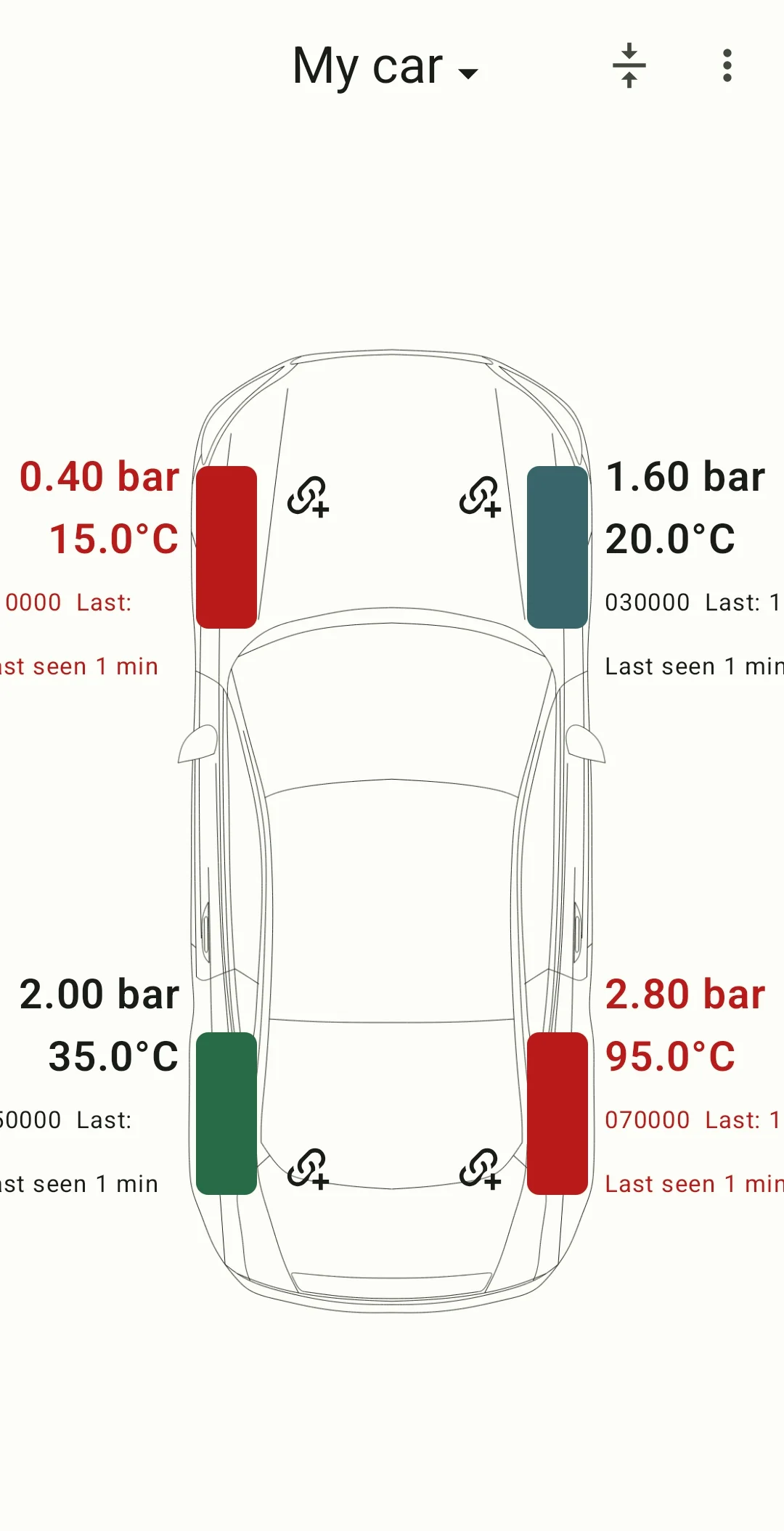
TyrePing car screen showing readings beside each tyre and red highlights for out-of-range pressure or temperature.
View full size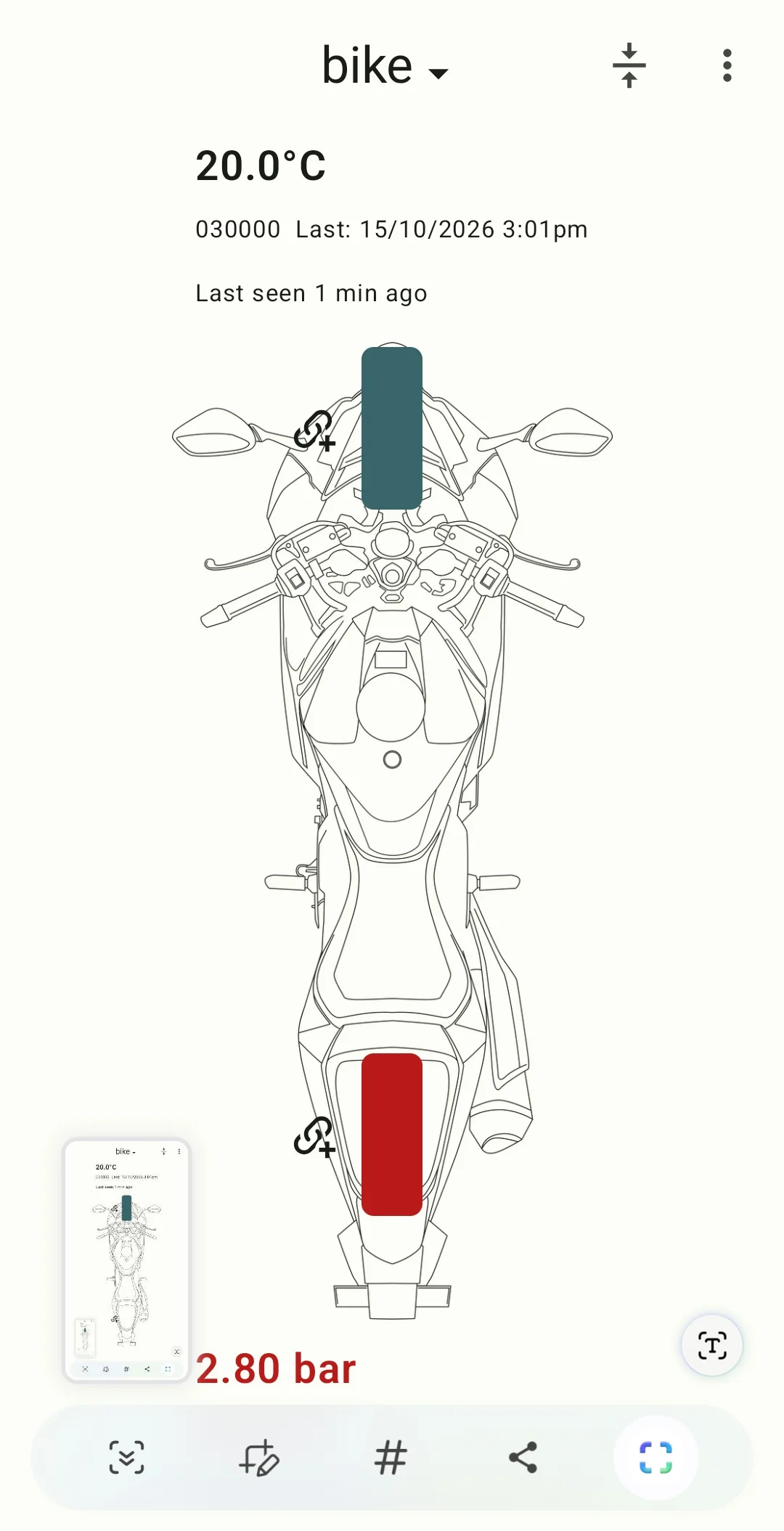
TyrePing motorcycle screen showing separate front and rear tyre positions.
View full size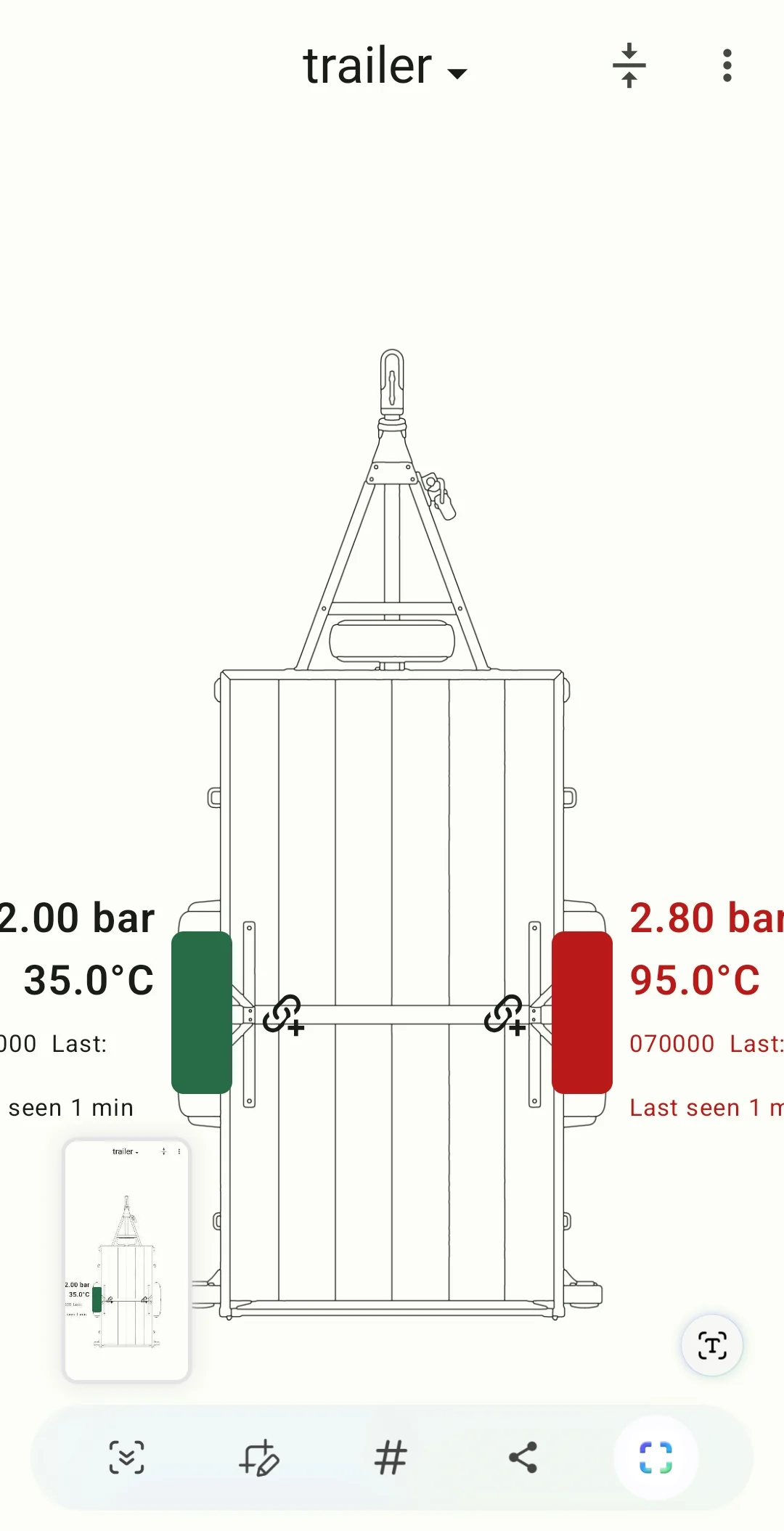
TyrePing single-axle trailer screen with a sensor reading at each wheel.
View full sizeTyrePing tandem-axle trailer screen showing front-left, front-right, rear-left and rear-right readings.
View full size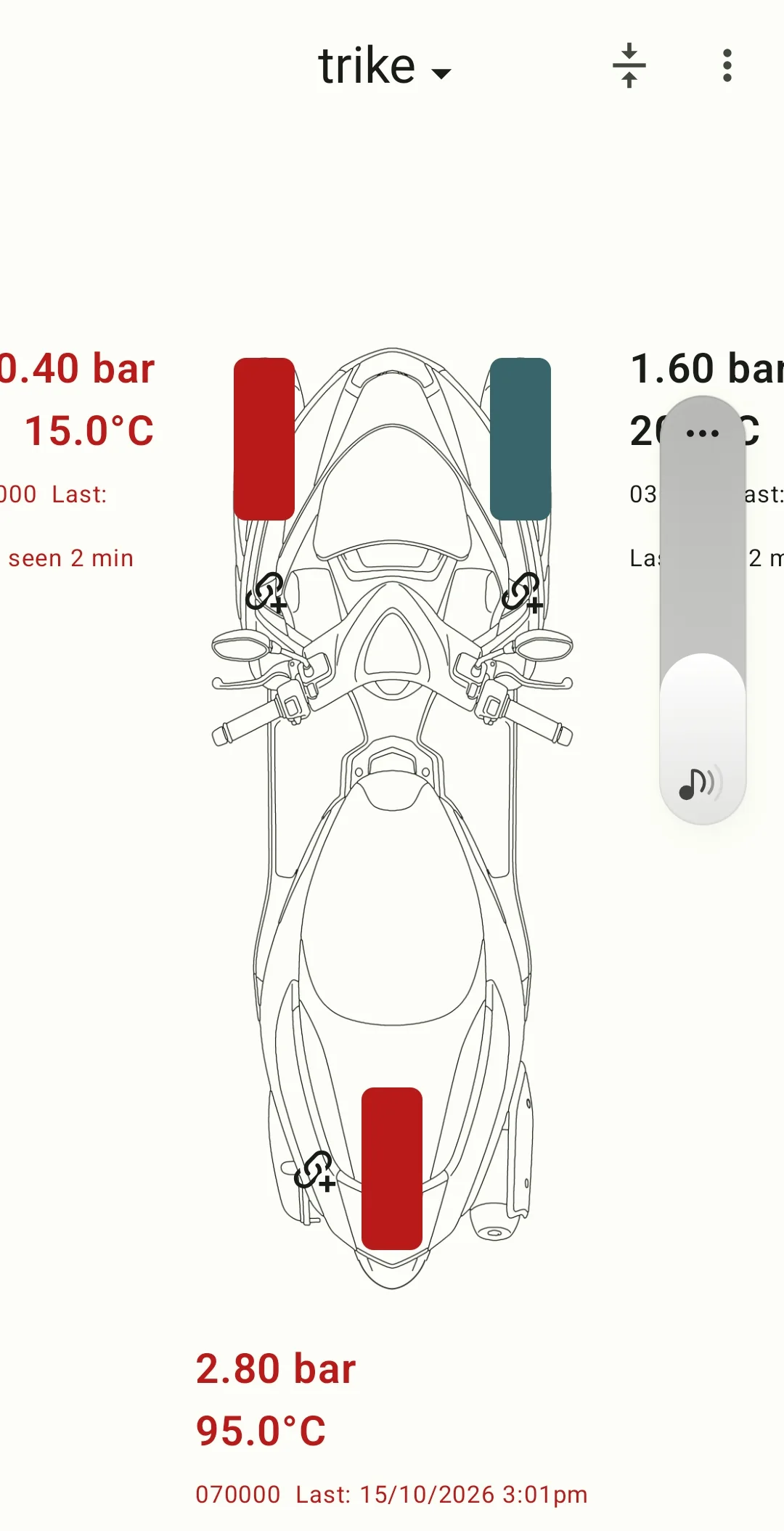
TyrePing three-wheeler screen with two front wheels and one rear wheel.
View full size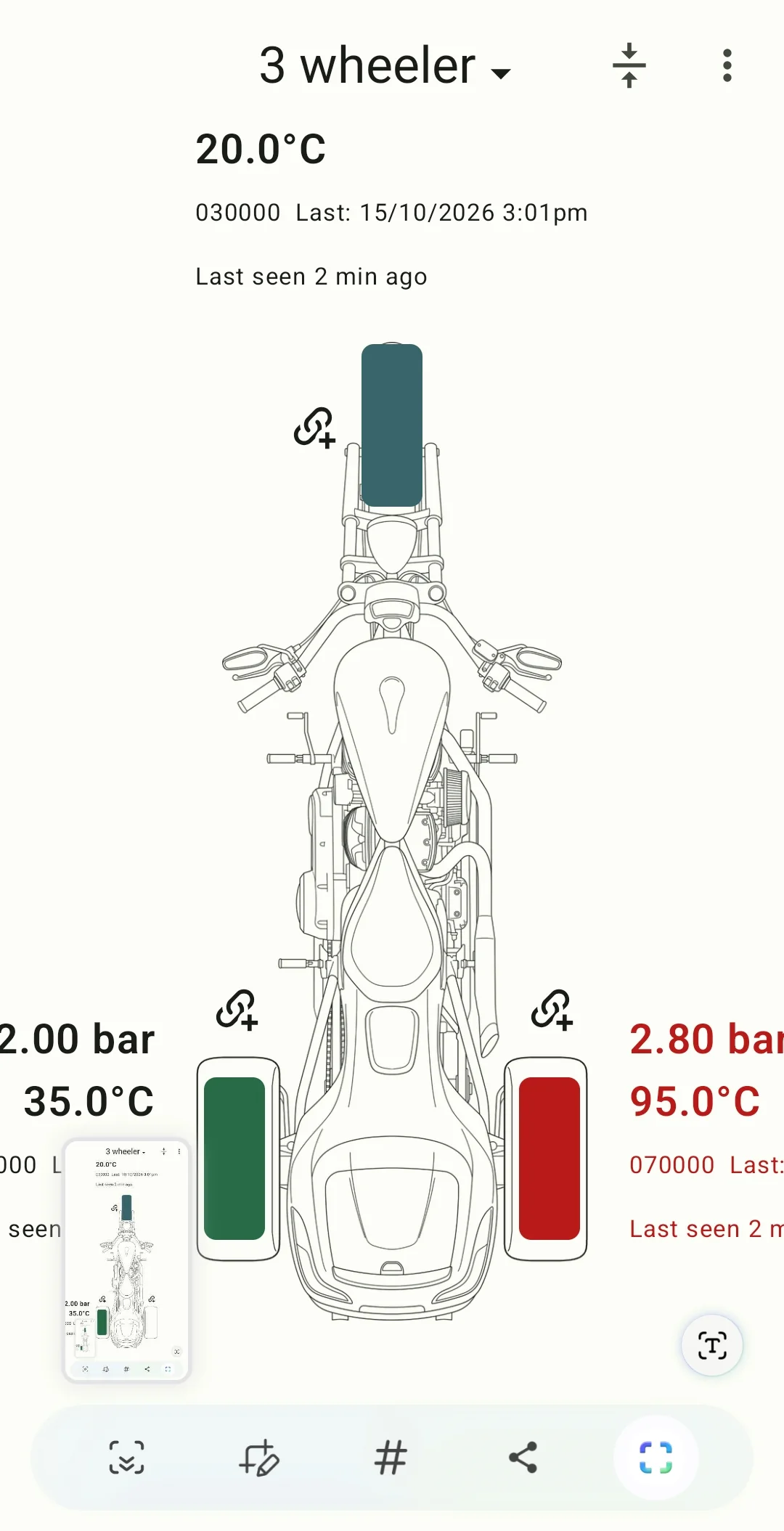
TyrePing three-wheeler screen with one front wheel and two rear wheels.
View full size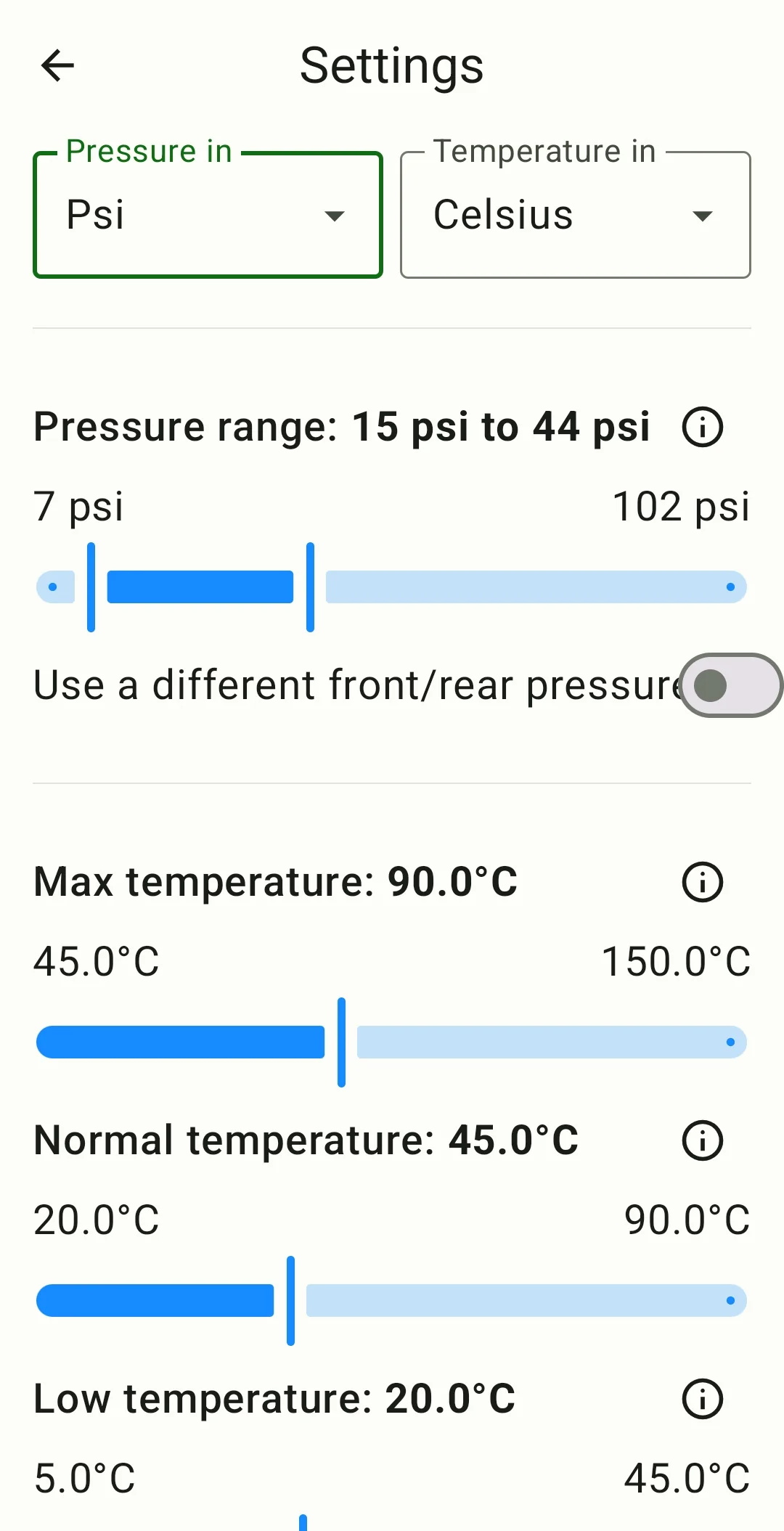
TyrePing settings screen showing pressure and temperature units, pressure range and temperature thresholds.
View full sizeExample readings shown. Set your own thresholds using your vehicle’s recommended pressures.
Find the available installation options and release notes on our downloads page. Choose a build and check its requirements and testing notes before installing.
Get TyrePingOpen our downloads page to see available builds or store installation. APK downloads include matching checksums and release notes.
For an APK, open the downloaded file and allow installation from your browser or file manager if prompted. If using Google Play, follow the store’s installation steps.
Grant Bluetooth permissions and bind compatible sensors. Guided discovery can help identify candidates before you confirm their assignments.
Compatibility, downloads and how the monitoring tools work.
See downloads and release notes →An Android phone supported by your chosen build, Bluetooth Low Energy and compatible BLE tyre-pressure sensors. Your phone alone cannot measure tyre pressure. NFC hardware is optional and only needed for tag-based vehicle switching.
Our downloads page lists available installation options and release notes. APK builds are served from tyreping.com with matching checksums. If store installation is available, follow its link from the same page. Check the notes for the build you choose before installing.
Feature availability varies by build. Compare the stable and pre-release notes on our downloads page. Pre-releases are for testing; physical-device validation and longer-term sensor observations may still be pending.
Selected Sysgration, Pecham, Bekubee/HRTPMS and Wicarlink/LYTPMS advertisement formats are supported. Discovery can inspect unknown devices, but only recognised, verified readings can be assigned. Compatibility depends on the packet format, not just the brand or wheel labels; review sensor guidance and your build’s release notes before buying hardware.
Yes. Keep separate vehicles and sensor bindings, use accessory-based vehicle selection or NFC switching, and save tow-vehicle/trailer combinations. Builds with Garage / Fleet also show an overview of every vehicle. Selecting the displayed vehicle and setting an automatic monitoring trigger are separate actions.
No. Sensor-health tools summarise observed battery, signal strength and reception gaps. Sleeping sensors, distance and interference affect those observations. They do not predict sensor failure or confirm tyre condition.
Download a newer signed APK from our downloads page and install it over the existing signed app. Current Release builds have no in-app update checker. TyrePing Debug has a manual checker, but its signed APK downloads install the separate signed app. Use Google Play updates for store installations when available.
No. The widget shows cached readings, monitoring status and reading ages. It updates while the app or service is active and through Android’s periodic widget refresh. Start monitoring in TyrePing; a widget by itself does not start scanning.
Reopening TyrePing after an interrupted session can offer Restart monitoring or Keep stopped, with an Android exit reason where available. The app cannot notify you while Android has killed it. Bluetooth permissions, battery restrictions and manufacturer background limits still affect monitoring.
No. The checklist summarises reading freshness, limits and sensor battery warnings; sleeping or unseen sensors are unconfirmed. Keep checking tyres with a calibrated gauge and follow manufacturer guidance. Read the release notes for limitations of experimental tools.
Open source. Built for Android. Ready to try.